
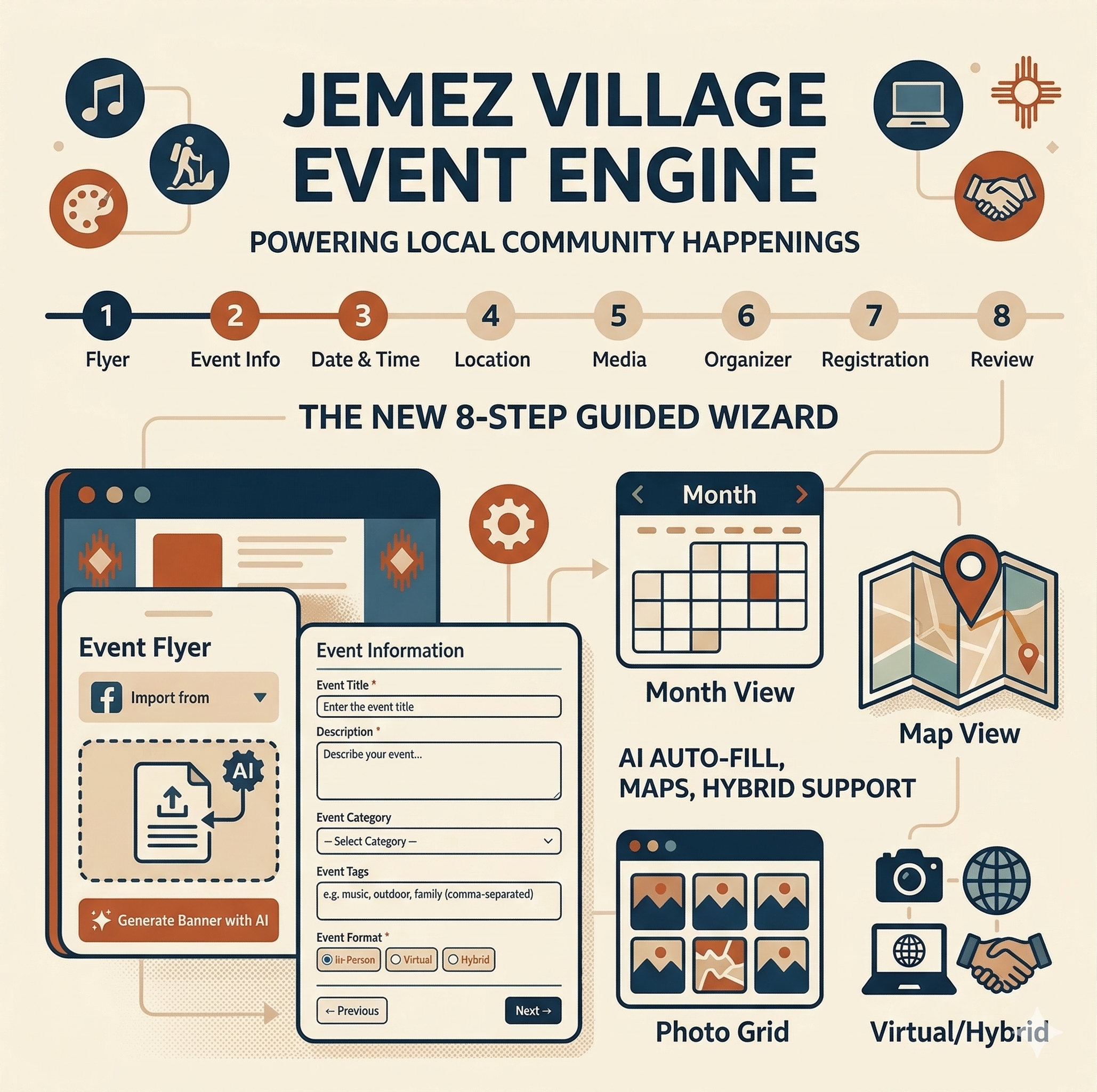
Building a community site as a solo developer means focusing on one thing: making life easier for the users. I’ve spent the last few weeks building an event system that doesn’t just list dates, but actually helps you create them.
Here is a deep dive into the new 8-step event wizard now in beta.
Smart Entry & AI Integration
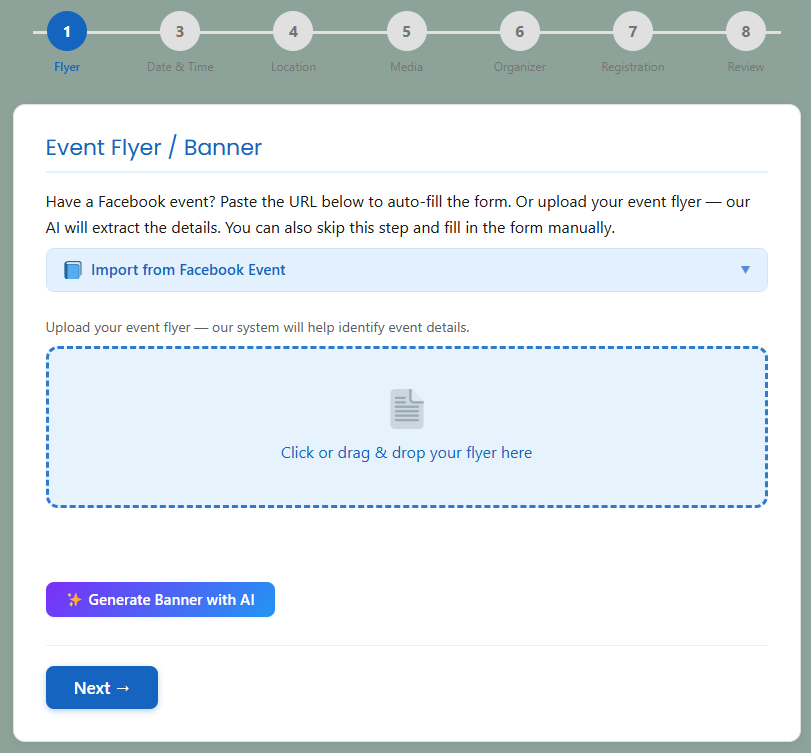
The biggest hurdle to a community calendar is the data entry. I wanted to eliminate that. As you can see in the first step of the wizard, I’ve built in three ways to get started:
- Facebook Import: Just paste a URL, and the system pulls the data.
- AI Flyer Extraction: You can drag and drop a JPG or PNG of a physical flyer. The system will “read” the image and automatically fill out the event title, date, and description for you.
- AI Banner Generation: Don’t have a flyer? The “Generate Banner with AI” button helps you create a professional-looking graphic on the fly.
When you add your flyer AI will attempt to find dates, times, Event Title, Description, and automatically fill them out. you will want to review this information to ensure it is correct.

Flexible Event Formatting
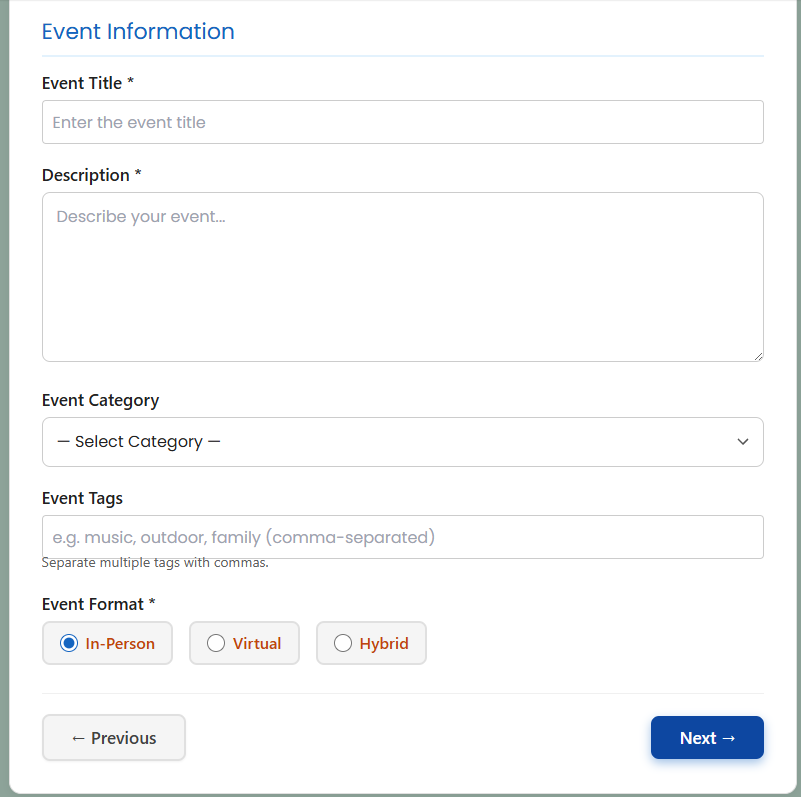
Jemez is a unique place—we have everything from physical hikes to Zoom-based village meetings. In the Event Information step, I’ve ensured the system handles:
- In-Person: Standard physical locations.
- Virtual: Dedicated fields for Zoom, Google Meet, or Teams.
- Hybrid: For those meetings that happen at the Library but are also streamed online.
- Tags: add features like “Dog Friendly”, “Outside”, “Inside”, “Food”, “Public Restrooms”, to let everyone know what you offer. Please keep these to one or 2 words.
Comprehensive 8-Step Flow
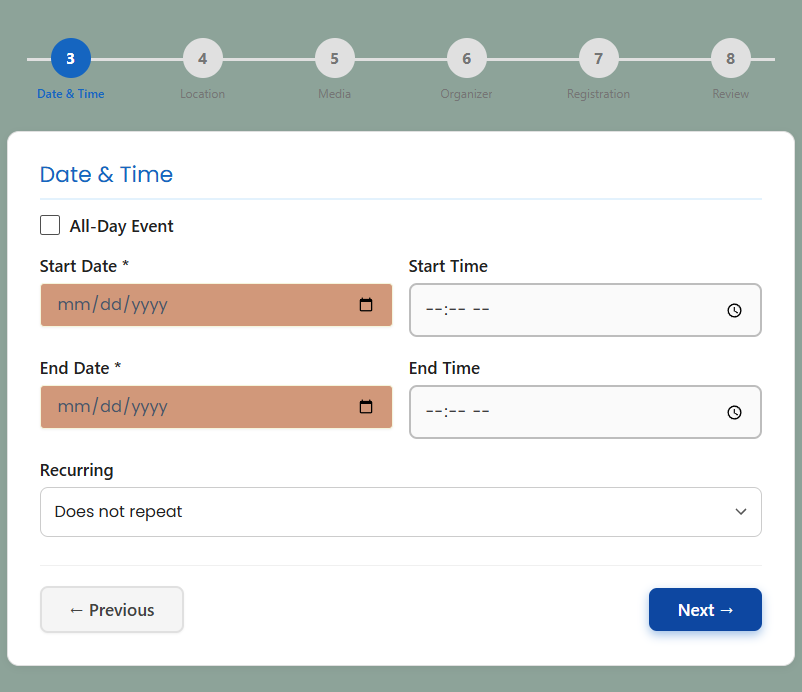
To make sure no detail is missed (but without overwhelming the user), I broke the process into a guided journey:
- Flyer: Visuals and AI auto-fill.
- Event Info: Titles, categories, and tags.
- Date & Time: Support for one-off or recurring series.
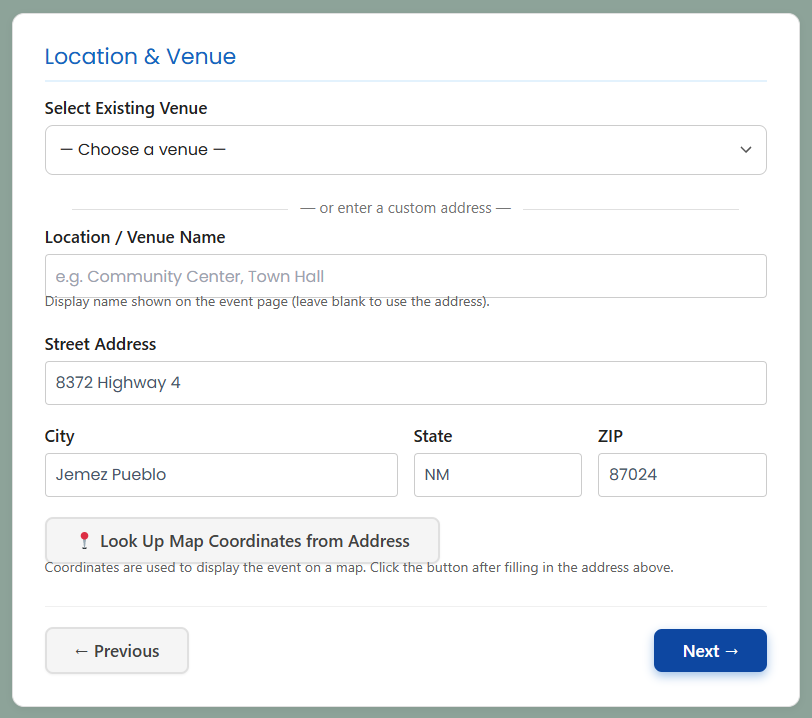
- Location: Integrated maps and venue saved-profiles.
- Media: Additional galleries or video embeds.
- Organizer: Assigning the event to a specific person or business.
- Registration: Setting up capacity limits and (soon) ticketing.
- Review: A final check before it goes live to the village.
Why this matters for JemezVillage.com
By automating the “boring” parts—like typing out addresses or manually resizing images—I’m hoping to encourage more local organizers, artists, and non-profits to share their happenings.
Current Status: The core engine is 100% functional. I am currently “stress testing” the AI extraction and fine-tuning the Registration (Step 7) logic. If you’re a local organizer and want to try uploading a flyer to see how the AI handles it, I’d love your help testing!
This is just one of the new features of the New Event System. There is also a new calendar, Event Slider, Organizer Dashboard, Ticketing System, Alerts and Messaging, Venue Management, and much much more. I will be show casing these parts of the event system in the near future.


This looks great, Damien, and it looks super easy to use! Thanks so much for the upgrade!